Master Your Next Launch with a Web Project Strategy
You have a brilliant idea for a product, a service, or a personal brand. You know the design looks fantastic, but when it comes to actually launching the website, things get messy. I see it all the time in my work as a designer and strategist. We get so caught up in the visuals—the pixel-perfect mockups and the color palettes—that we forget the architecture. We launch a beautiful site that doesn't actually sell anything. That is exactly the gap the Web Project Strategy Keynote presentation aims to bridge. It isn't just a set of slides; it is a comprehensive framework for thinking about your online presence from the ground up.
The Anatomy of a Winning Web Strategy
When I first looked at the Web Project Strategy Keynote template, I appreciated that it didn't start with "pretty pictures." It starts with the "Why." The presentation is structured to force you to articulate your Mission & Vision Statement and define your Executive Summary before you even think about code. This is crucial for brand identity. If you don't know who you are, your audience won't either.
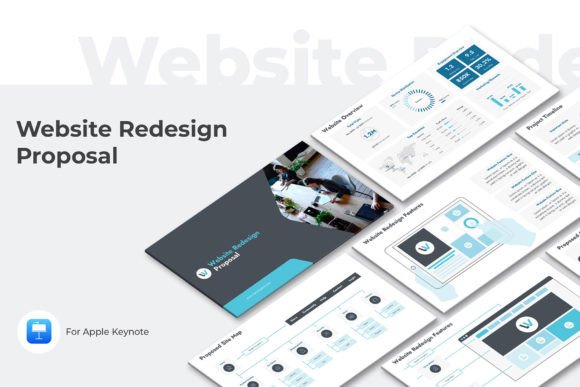
The style of the presentation is modern and clean, utilizing a 16:9 (1920x1080) format that looks sharp on any screen. It comes with three pre-made color themes, which is a practical touch. Whether you are pitching to investors or briefing a freelance team, the visual hierarchy is clear. The template covers the heavy lifting of web design strategy, including:
- Problem & Solution Analysis: It specifically addresses the "Canceled Purchase Problem," a key metric for e-commerce sites.
- Target Audience & Market: Detailed slides for defining exactly who you are talking to.
- Optimized Website Structure: Guidance on how to lay out your site for conversion, not just aesthetics.
- Marketing Channels: From Email Marketing Campaigns to Social Media Promotion and Influencer outreach.
It essentially acts as a roadmap. Instead of guessing what your next step should be, the Web Project Strategy guides you from the initial concept to the financial projections.
From Presentation to Execution: Designing for Conversion
One of the strongest aspects of this strategy template is how it handles the transition from planning to web design. There is a specific section on the Website Improvement Process. In the real world, we call this iteration. You aren't going to get it perfect the first time.
The template highlights Improved Product Pages and Mobile Product Pages. This is non-negotiable today. If your mobile responsive design isn't flawless, you are leaving money on the table. The slides encourage you to look at your content through the lens of readability and visual hierarchy. Are the buttons easy to find? Is the copy persuasive?
For entrepreneurs and small business owners, this approach demystifies the technical side. It breaks down the Optimized Website Structure into manageable chunks. You don't need to be a developer to understand that a clear navigation path helps the user find what they need. It treats the website not as a static brochure, but as a dynamic marketing tool.
Integrating Marketing and Content Creation
A website doesn't live in a vacuum. The Web Project Strategy Keynote understands this, dedicating significant real estate to Promotion. It includes a Marketing Campaign Schedule, which is a lifesaver for content creators and marketers. Without a schedule, social media posting becomes sporadic and ineffective.
The template also covers Promotion by Influencers and Social Media Promotion Types & Benefits. This is where the strategy moves beyond the website itself and into the ecosystem. For bloggers and publishers, this is vital. You need to know how your content strategy feeds back into your main hub.
I find the Customer Feedback slide particularly valuable. In modern digital strategy, social proof is everything. Integrating testimonials and reviews into your brand identity isn't an afterthought; it's part of the core strategy. The Web Project Strategy presentation ensures you have a plan for gathering and displaying this trust.
Practical Application for Creatives
If you are a designer or a creative professional, you might look at a strategy deck and think it's "too corporate." However, this template works because of its neutrality. It acts as a skeleton. You can apply your own design assets and typography to it, but the logic remains sound.
It is particularly useful for packaging design launches where the physical product needs a digital home, or for editorial design projects where the magazine or portfolio needs a subscription model. The financial targets and Promotion Budget slides keep the project grounded in reality. It forces you to ask: "Can I actually afford to market this?"
Ultimately, the Web Project Strategy Keynote is about removing the guesswork. It provides a structured, professional way to plan your online marketing strategy. By following its flow—from the Executive Summary to the final Contacts—you ensure that every element of your website is purpose-driven. It helps you build a site that doesn't just look good, but one that functions as a powerful engine for your business or personal brand.