Web Project Proposal PowerPoint: A Designer's Guide
More Than Just Slides: Crafting a Compelling Project Narrative
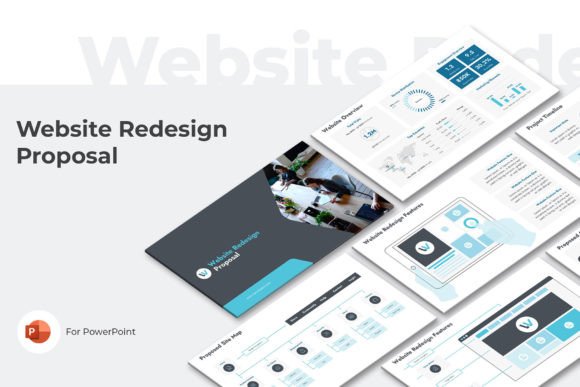
Let's be honest, most project proposals are forgettable. They're a necessary evil—a stack of bullet points and budgets that stakeholders skim through, often missing the core vision. The Web Project Proposal PowerPoint template changes that dynamic entirely. It’s not a generic slide deck; it’s a structured storytelling framework designed to transform your project details into a persuasive, professional narrative. The visual style is clean, modern, and corporate without being cold, using a balanced color palette and clear typography to guide the viewer's eye. This template understands that you're not just presenting data; you're selling an idea, a solution, a partnership. Its personality is confident and organized, projecting the competence and thoroughness that builds immediate trust with clients or investors.
Think of it as your project's brand identity condensed into a presentation. The consistent use of headings, ample white space, and strategic use of icons creates a visual hierarchy that makes complex information digestible. For a designer, this is crucial. It means you spend less time wrestling with slide layouts and more time refining your message. For an entrepreneur or small business owner, it means presenting your vision with the polish of a much larger agency. The appeal lies in its utility—it’s a practical tool that elevates your professional image, making the proposal process itself a demonstration of your project's quality.
Where This Template Truly Shines: Applications Across Industries
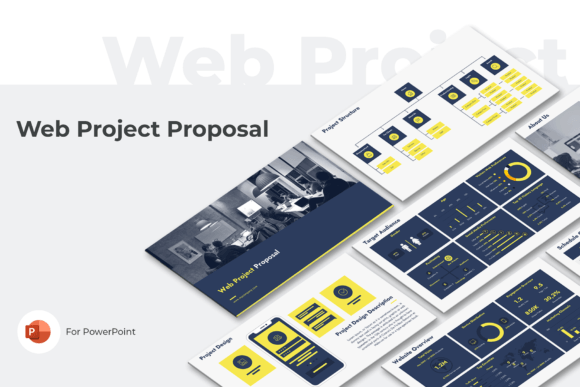
The versatility of the Web Project Proposal PowerPoint is one of its greatest strengths. It’s a design asset that adapts to your needs, whether you're a freelance web designer pitching a site overhaul to a local bakery or a marketing agency outlining a multi-channel digital campaign for a tech startup. The pre-built sections—like Client Needs, Proposed Solution, and Competitive Advantage—force a logical flow that benefits any project. A content creator can use the Target Audience and Website Overview slides to pitch a new blog or online community. A blogger transitioning into a full publishing business can use the Financial Projections and Project Timeline slides to secure funding or partnerships.
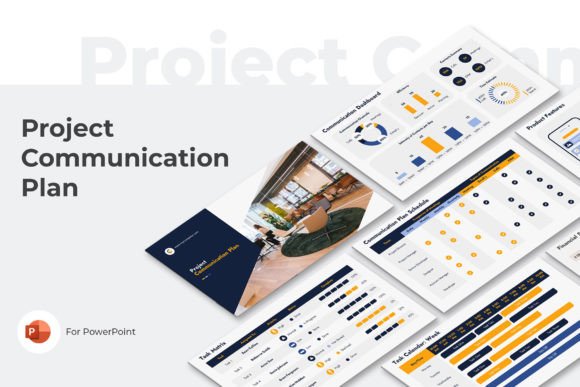
Beyond the digital realm, this structured approach influences how you think about projects from the outset. The template includes sections for Project Structure and Detailed Estimates, which are invaluable for packaging design or even planning a physical product launch. It encourages a holistic view, connecting the visual design (the Project Design slide) directly to the business case (Financial Projections). This isn't just for web projects; it's for any initiative that requires clear communication of goals, strategy, and execution. The inclusion of multiple schedule views—week, month, quarter, year—allows you to tailor the proposal's scope to projects of any duration, from a two-week social media graphics sprint to a year-long brand identity overhaul.
Practical Guidance: Making the Template Work for You
Simply downloading the template isn't enough; you need to treat it like a core part of your design process. Start by evaluating the project fit. Does your initiative have clear phases, a defined audience, and measurable outcomes? If yes, this template is a perfect match. Next, consider the visual personality. The three pre-made color themes offer a starting point, but you should customize them to align with your own brand identity or the client's. This is where you inject your unique style. Use the User Guide PDF—it’s there for a reason. It will help you navigate the editable elements efficiently.
Font pairing within the template is typically pre-set for clarity, but if you're adapting it, remember the rules of modern typography. Stick to a maximum of two complementary typefaces—a clean sans serif for body text and a more distinctive display font for headings can create strong visual hierarchy without sacrificing readability. Test your content on the 16:9 slides. Does the text breathe? Is there enough contrast? Readability on a projected screen or a PDF is different from a printed page. Finally, respect the licensing. This is a commercial font/template package. Using it for your client work is exactly what it’s designed for, but understand the terms if you plan to redistribute the core files. Think of it as a premium tool in your toolkit, one that brings consistency and professionalism to your client-facing communications, ultimately strengthening your reputation and your projects' chances of success.